

Document sorter
Your documents file themselves in the right shipment folder. If the AI is unsure, a person decides.
Invoices, bills of lading, contracts and certificates arrive by email, as PDFs, scans or photos. Smart software (AI) reads every document, recognises what it is and files it in the right shipment folder. If the AI is unsure, the document goes on your “To check” list.
For trading companies, importers and wholesalers that handle piles of documents every day.
See how it works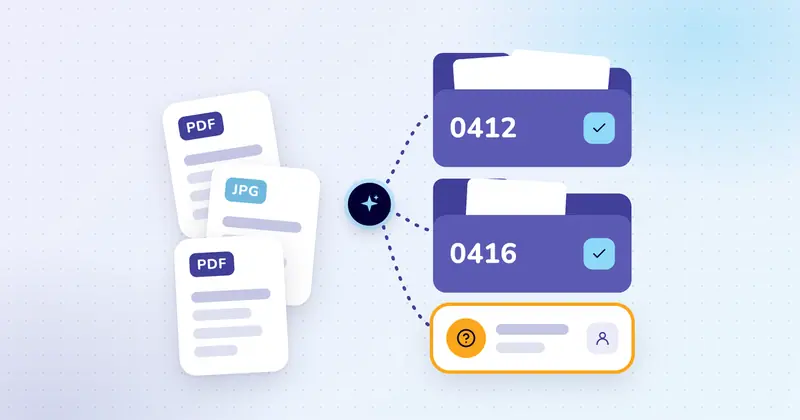
The problem
Every morning, a pile of attachments that someone sorts by hand.
Monday, 8.30 am. Marloes from the import department opens the shared mailbox: 63 new attachments. She opens them one by one, looks up the order number and drags each file into the right shipment folder.
At 11.30 am she’s still at it. And she only finds out whether shipment 0415 is complete when the container is waiting in port for one missing document. Every extra day costs money.
What is this? You only find out once you open it.
How it works
From attachment to folder, in five steps.
We follow seven attachments from that pile. On the left, the mail comes in. In the middle, the AI reads the document. On the right are your current shipments, taken from your own records. Use Previous and Next to step through it yourself.
Step 1
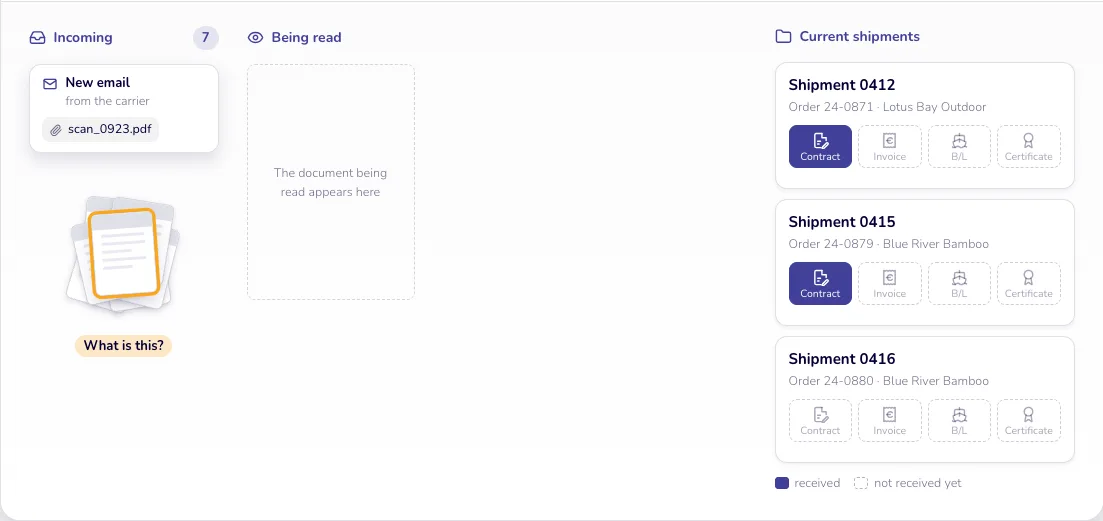
An attachment arrives
A carrier emails scan_0923.pdf, and the name doesn’t tell you what it is.
Step 2
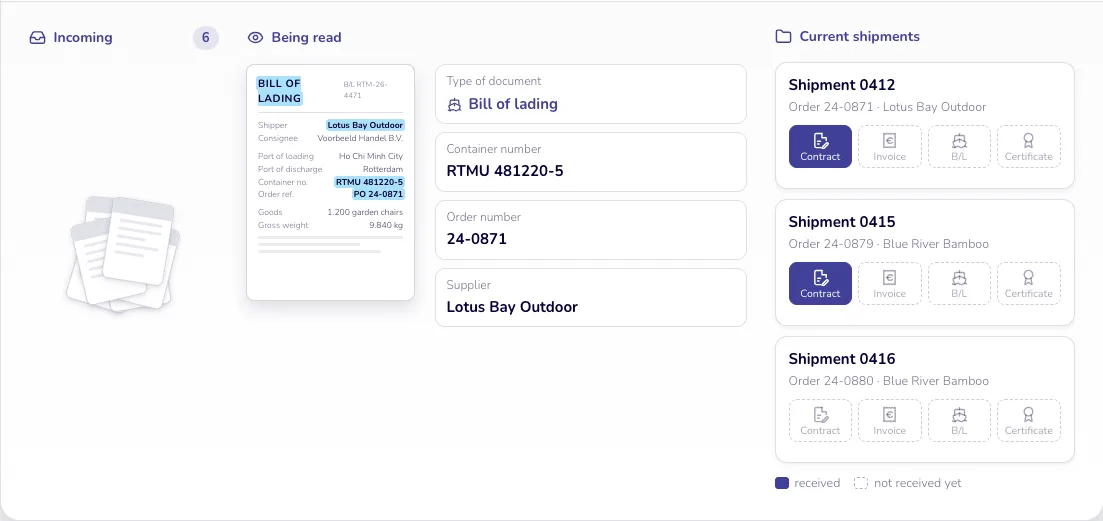
The AI reads the document
Just like a colleague, the AI sees straight away: a bill of lading, with a container, order and supplier.
Step 3
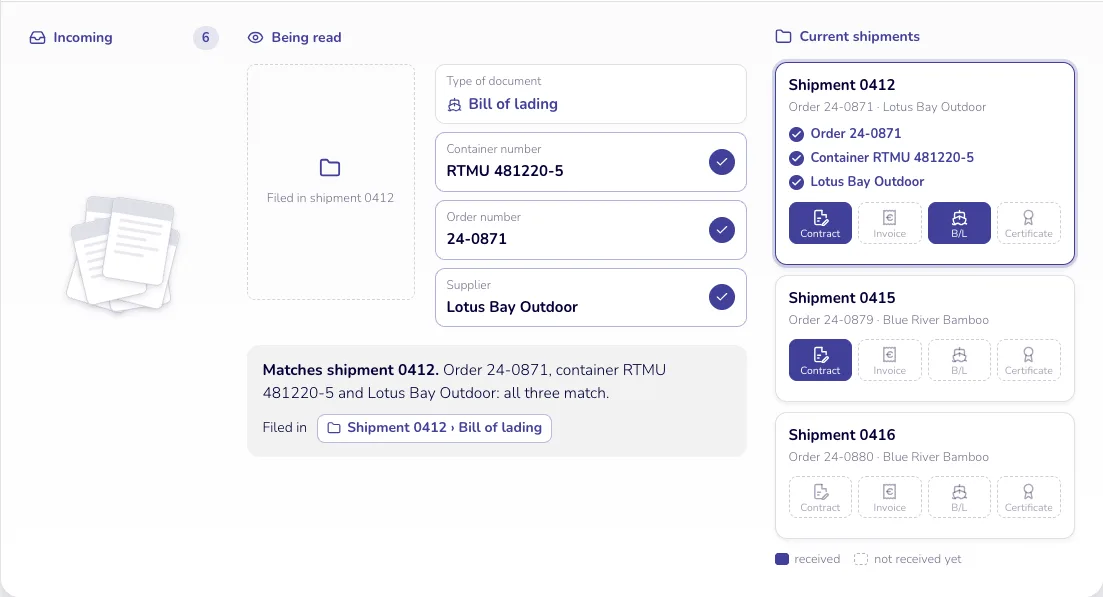
The AI finds the right shipment
The container, order and supplier also appear on shipment 0412, so the bill of lading goes into that folder.
Matches shipment 0412. Order 24-0871, container RTMU 481220-5 and Lotus Bay Outdoor: all three match.
Step 4
If in doubt, a person decides
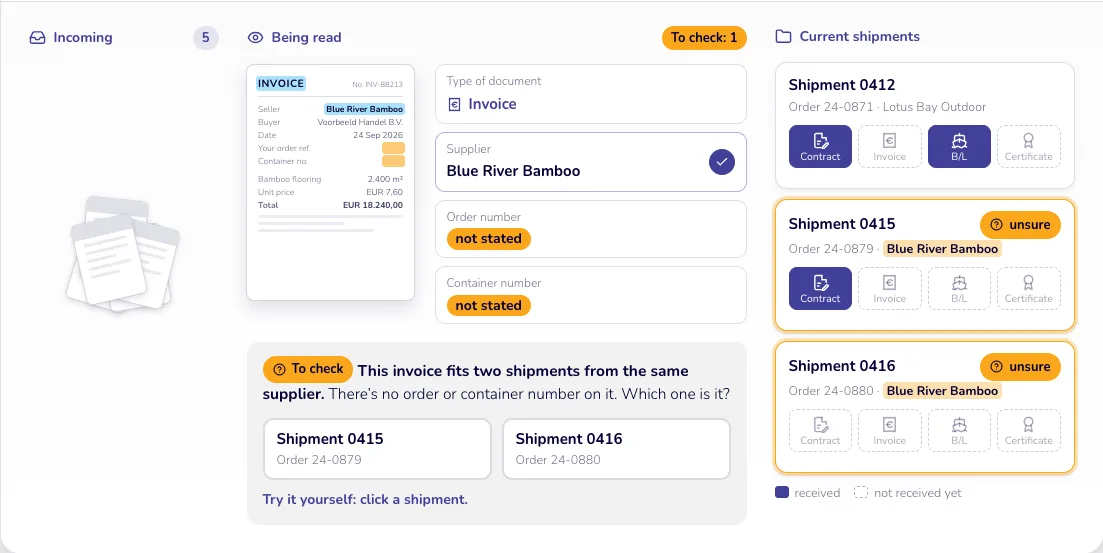
There’s no order or container number on it, and two shipments could fit. So the AI doesn’t guess: it lets Marloes choose.
Which one is it?
- This invoice fits two shipments from the same supplier.
- There’s no order or container number on it.
Step 5
The rest takes care of itself
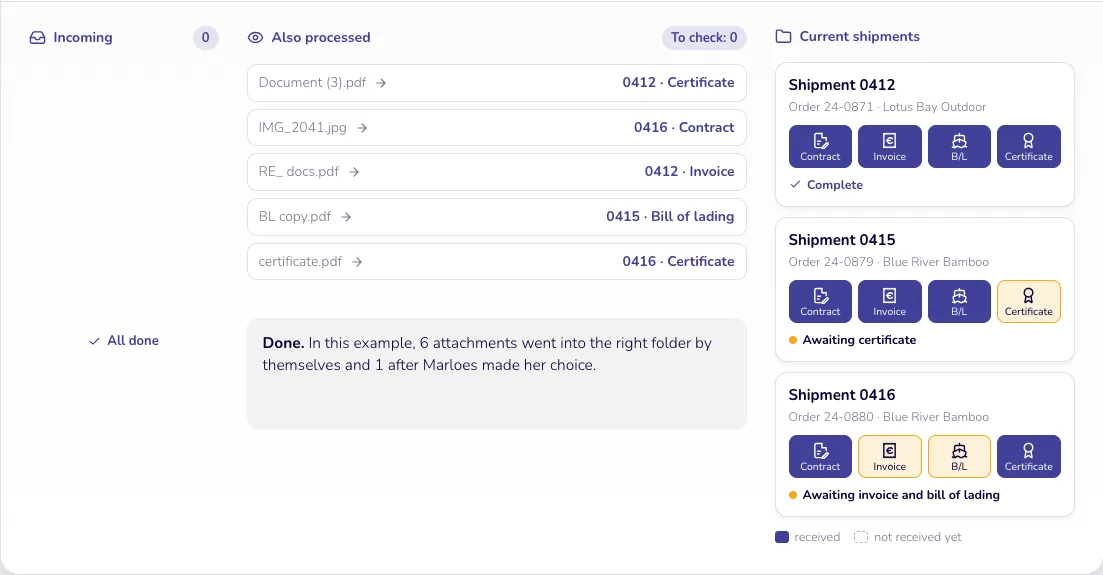
The whole pile is handled like this, and for each shipment you can see what’s still missing.
Done. In this example, 6 attachments went into the right folder by themselves and 1 after Marloes made her choice.
The result
Everything for each shipment in one place. No searching.
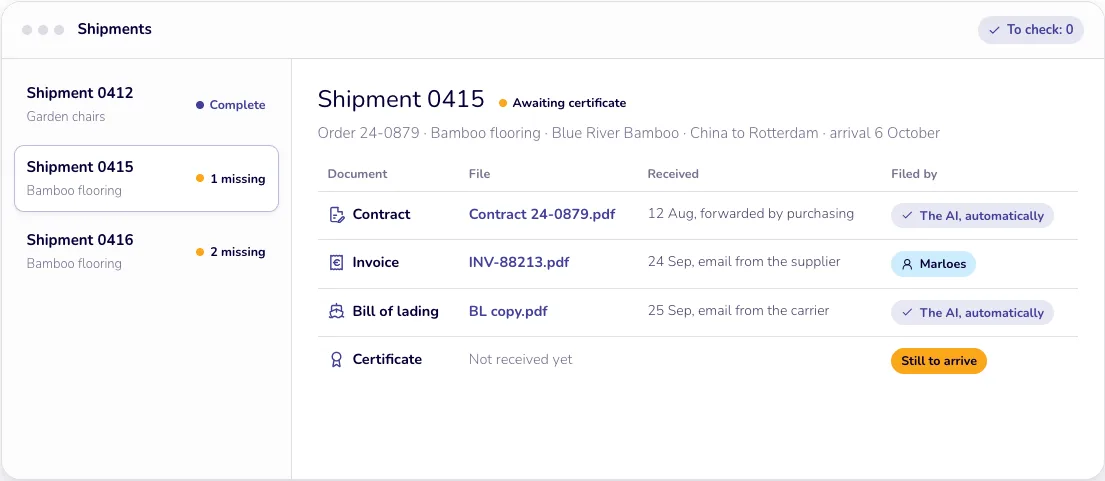
Monday, 8.30 am. Marloes no longer opens 63 attachments, just her “To check” list (top right). And she sees straight away that the certificate is still missing for shipment 0415.
Scans and photos too
PDFs, scans and photos taken on a phone. In Dutch, English, German, French or Spanish.
Works with your own orders
The AI compares each document with your current orders and shipments. These come from your own records, and we set that up together at the start.
Wrong folder? Just move it
It takes a few clicks. The AI uses your correction the next time a similar document comes in. That stays within your company.
Example screen with fictional names and numbers.
What’s in this image?
Shipments: 0412 garden chairs complete, 0415 bamboo flooring 1 missing, 0416 bamboo flooring 2 missing. To check: 0. Highlighted shipment 0415, awaiting certificate: order 24-0879, bamboo flooring, Blue River Bamboo, China to Rotterdam, arrival 6 October.
| Document | File | Received | Filed by |
|---|---|---|---|
| Contract | Contract 24-0879.pdf | 12 Aug, forwarded by purchasing | The AI, automatically |
| Invoice | INV-88213.pdf | 24 Sep, email from the supplier | Marloes |
| Bill of lading | BL copy.pdf | 25 Sep, email from the carrier | The AI, automatically |
| Certificate | Not received yet | Still to arrive |
Before and after
From sorting everything by hand to checking only the unclear cases.
Today
- Opening every attachment to see what it is
- Looking up the order number and dragging the file to the right folder
- Only noticing something is missing when the shipment is stuck
- Sorting everything by hand
With documents that file themselves
- Every attachment is read as soon as it arrives
- It goes into the right shipment folder by itself
- For each shipment you see what has arrived and what is missing
- Your team only looks at the unclear cases
Worked example: what sorting costs you today
Say your team handles 40 attachments a day and spends 2 minutes on each one. That adds up to 6.7 hours a week on opening, looking things up and dragging files. At €50 an hour and 46 working weeks, that comes to around €15,300 a year.
Based on 5 working days a week. This is what sorting costs you today, not a promise of what you will save. Use your own numbers.
All names, numbers and documents on this page are fictional.
Also works for
The same approach works outside trading too.
An installation company
Work orders, inspection reports and delivery notes are filed with the right project automatically.
A bookkeeping firm
Clients’ receipts and invoices are filed under the right client and the right quarter automatically.
The HR department
Signed contracts and qualifications are filed in the right staff file automatically.
Sound familiar?
Let’s look at what this can do for you. This approach is already running at a trading company that handles lots of shipments. In a first call, we look together at which documents you receive and where they belong.